Shapeoko 5 Pro - 4x2 Flattening File

Files
The file is still in the developmental stage; use it at your own risk. READ and FOLLOW THE INSTRUCTIONS EXACTLY
Notes
- For Shapeoko 5 Pro 4x2 machines.
- A fly cutter, a minimum 1" in diameter, is required. LINK BELOW
- Special thanks to Chuck Snedeker for his contribution of this file.
- If you encounter issues with these files please comment so we can improve the experience. - Kevin
- Disable and Dismount Bitsetter. Set Bitsetter to the side of the machine.
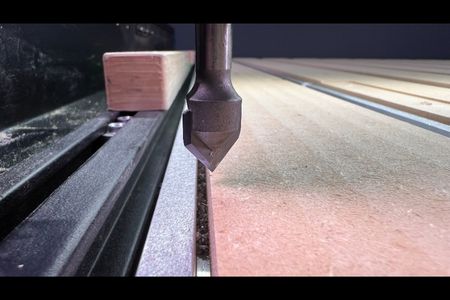
- Chuck up a V-Bit
- Rapid your machine to the front left
- Jog the gantry as far toward you as possible on the Y-Axis
- Set the Y-Zero
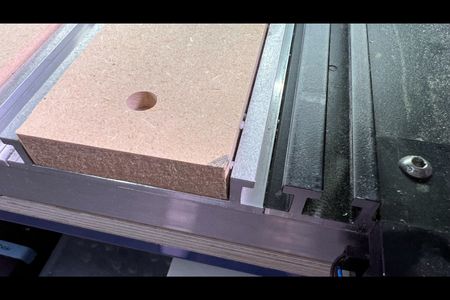
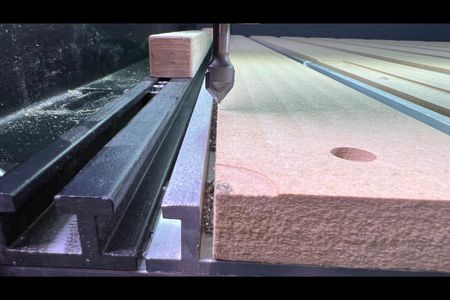
- Jog along X until the bit aligns with the MDF slats' left-most edge on your hybrid bed. (See Photo)
- Set your X-Zero
- Change to the McFly Fly Cutter from Carbide 3D.
- Jog your Z-Axis downward to zero at the level of the hybrid table.
- Set your Z-Zero.
- Open this file in Carbide Create
- Set the maximum depth to determine how much material is taken off the hybrid bed
- Be sure the McFly is selected, or select the 1" or larger fly cutter for the job.
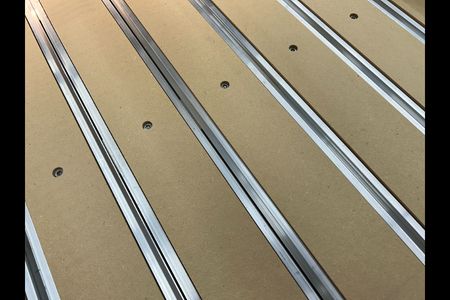
- Mark all four MDF corners with a pencil (see photo). This helps to indicate complete coverage.
- Run the program.
- Ignore the warning of "Exceeding Machine Bounds." The program will exceed the standard settings but should not crash.
- Do not leave your machine unattended during this time.
- Reattach BitSetter and Re-enable Bitsetter in Carbide Motion.
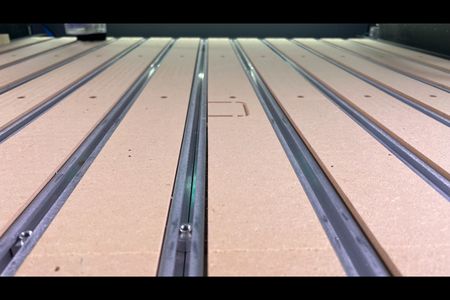
- Enjoy your newly flat hybrid bed.